
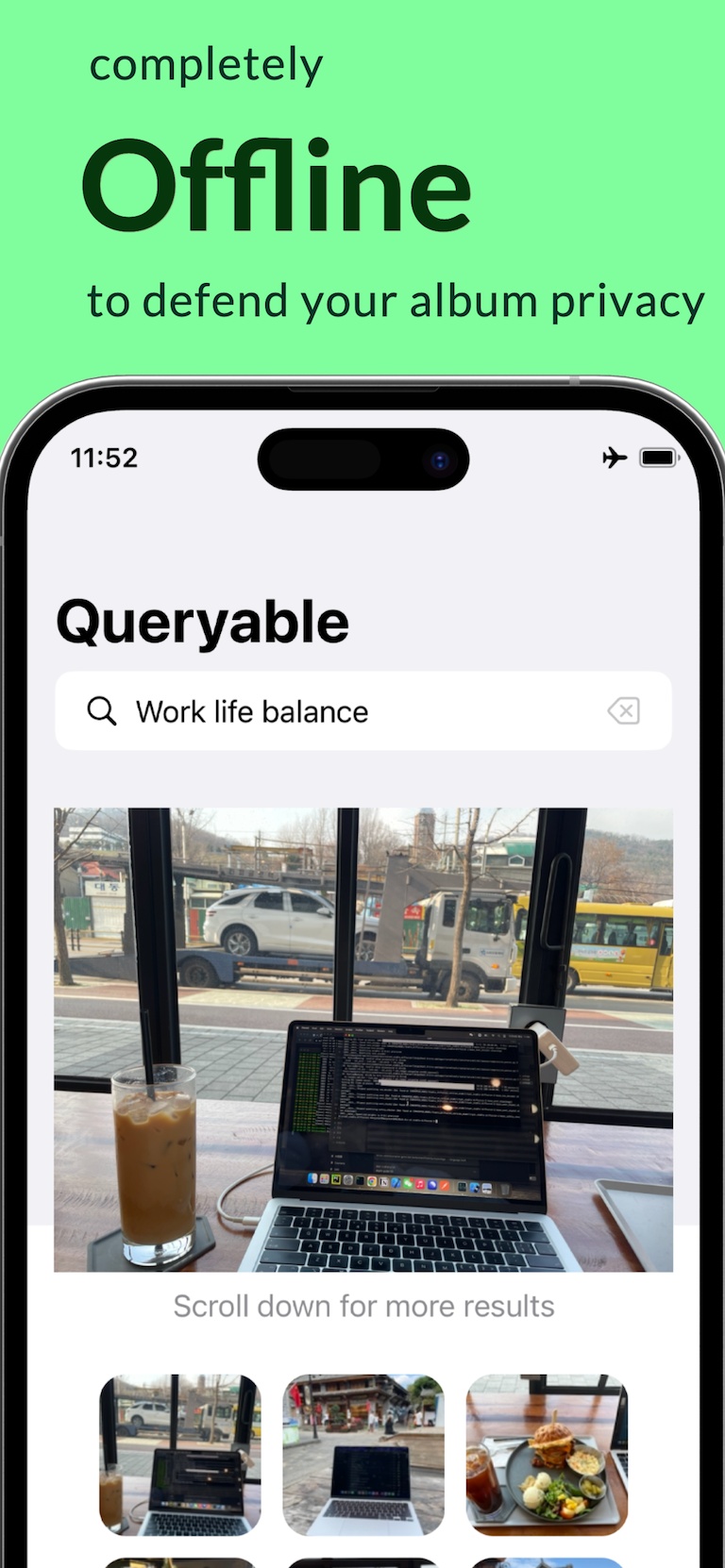
What an AI photo search app actually does
Traditional photo search works best when a picture has useful metadata: a date, a location, an album name, or recognized text. Semantic search adds another route. It represents the visual content of a photo as numbers so a phrase such as “a red bicycle beside a brick wall” can be compared with the library.
Queryable uses Apple’s MobileCLIP family of models to place images and text in the same 512-dimensional embedding space. A closer vector match is treated as a more relevant visual match. It is similarity ranking, not a claim that the app has identified every object with certainty.
- Natural-language scene descriptions
- Reference-image search
- Optional time-range filtering
- Local result ranking
What offline image search covers—and what it does not
Once an original photo has been indexed and its vector is stored locally, Queryable can encode a text query and compare it with the local index without an internet connection. The current app also keeps incremental index data so it does not need to rebuild everything after every change.
The boundary is iCloud Photos. Queryable’s current index path keeps PhotoKit network access disabled. If Optimize iPhone Storage has left no usable local image data for an item, make it available through Apple Photos first, then index it locally. That Apple download is different from sending a photo to Queryable for cloud AI processing.
Practical note: For the most predictable first index, use Apple Photos to make required cloud items available locally before starting Queryable. Power, Wi‑Fi and adequate storage help Apple Photos complete that preparation.
Questions to ask any offline photo search app
“On-device” should describe the actual search path, not just the user interface. Check whether photo content leaves the phone, whether an account is required, where the index lives, and whether search still works in airplane mode after setup.
Queryable is open source under the MIT license, so its Core ML encoders, embedding store and ranking path can be inspected. The website makes the narrower, verifiable promise that Queryable does not operate a server that receives your library for semantic indexing or search.
- No account required for core search
- No Queryable photo-upload server
- Local semantic index
- Public source code
What an offline image recognition tool can recognize
“Offline image recognition tool” usually means one of two very different things. One is optical character recognition: reading the words printed inside a picture. The other is visual recognition: deciding what a picture is of. Queryable does the second and not the first.
Concretely, an image encoder turns each photo into a 512-value vector that captures scene type, objects, materials, colour, setting, weather, composition and broad activity. A typed sentence is turned into a vector in the same space, so “a red bicycle leaning on a brick wall” lands near pictures that look like that. Nothing is sorted into a fixed label list, which is why unusual phrasings still work.
What it does not recognize: text inside the image—there is no OCR—named individuals, exact product model numbers, or anything that is not visible in the frame. If you need the words on a screenshot, Apple Photos’ built-in Live Text search is the right on-device tool; that is a genuinely different capability.
- Scenes, places and weather
- Objects, animals, food and vehicles
- Colour, materials and composition
- Broad activities and moods
- Not text inside the image
- Not named-person identification
Where offline semantic search has limits
Semantic similarity is strong for common scenes, objects and broad visual ideas, but it is not perfect. Very small details, exact identities, obscure proper nouns, or text inside an image can require a different tool. Results also depend on the language and clarity of the query.
A practical workflow is to start with the most distinctive visual fact, inspect the first results, then add a time range. If you already have a similar picture, image-to-image search can be more effective than trying to phrase the scene.
Common questions
Can an iPhone search photos offline with AI?
Yes. An app can run an image-text model on-device and compare a query against a local photo index. Cloud-only items need usable local image data before Queryable’s network-disabled index request can represent them.
Is there an offline image recognition tool that reads text in photos?
Queryable is not one. It recognizes what a picture shows — scenes, objects, colours, composition — and has no OCR. Apple Photos’ built-in Live Text search is the on-device tool for words printed inside an image.
Does offline AI search recognize faces?
Semantic scene search and face identification are different capabilities. Queryable focuses on visual and language similarity; use Apple Photos for its people and pets features.
Is there an open-source offline photo search app?
Yes. The CLIP indexing and search core behind Queryable is MIT-licensed at github.com/mazzzystar/Queryable, so the offline claim can be read in the source rather than taken on trust.
Does Queryable need an account?
No account is required for Queryable’s core local photo search.
What Queryable does not do
Every honest recommendation needs a boundary. These are the things Queryable deliberately does not do, so you can decide before you pay rather than after.
- No text search inside photos. There is no OCR. Words printed in a screenshot or a document are not indexed — only what the picture looks like.
- No background indexing. The index is built while its screen is open. New photos are added later with a tap, never automatically.
- iCloud-only photos are skipped. Indexing runs with network access off, so make the photos you need available on the device in Apple Photos first.
- No date sort, no jump to Photos. Results are ranked by similarity only, and there is no deep link from a result back into the Apple Photos app.
- No Spotlight, widgets or Shortcuts. Queryable has no system-level integration. Everything happens inside the app.
- Videos: poster frame only. A video is matched by its still frame, never by motion or audio — and cleanup never groups or deletes videos.
- The Mac apps are legacy. The Mac builds still listed on the App Store date from 2023, are unmaintained, and are not recommended.